From Hours to Seconds: How We Automated a Federal Agency's Document Return Process
The Weight of Paper in a Digital World
Even in highly automated environments, certain workflows remain stubbornly manual. Not because the technology doesn't exist, but because the process sits at the intersection of multiple systems, teams, and edge cases that never made it onto anyone's modernization roadmap.
We encountered exactly this situation while working with a federal agency client. Their document processing operation was mature — millions of documents flowing through intelligent capture, classification, and routing each year. But buried within that sophisticated pipeline was a process that still ran entirely by hand: returning documents to the mailroom for reprocessing.
When a document couldn't be completed downstream (translation incomplete, missing information, routing error) it had to go back to the beginning. The problem wasn't rare. It happened thousands of times per year. And every single return required manual intervention.
The Hidden Cost of "Good Enough"
The return process looked simple on paper: identify the document, update the records, prepare the file, and re-import it into the mailroom queue. In practice, it consumed entire shifts.
Staff had to locate the original document in storage, manually create a coversheet with the correct consumer information, merge the files, and re-import everything into the processing system, all while maintaining audit trails and avoiding duplicates. Each return took several minutes. During peak seasons, three full-time staff members worked dedicated shifts just to keep up.
This wasn't a failure of effort or competence. It was a process that had evolved organically over years, layered onto systems that were never designed to talk to each other. The team had made it work through sheer diligence. But "working" isn't the same as sustainable.
Designing for the Real Workflow
When we engaged on this project, the temptation was to build something new from scratch. But that approach often fails in complex environments. The systems were already in place: document storage, workflow orchestration, database logging. What was missing was the connective tissue.
Our approach focused on three principles:
Meet users where they are. The staff initiating returns were working in an existing application. We didn't ask them to learn a new interface or change their workflow. We gave them a button. One click captures everything needed and sends the request on its way.
Orchestrate, don't replace. Rather than rebuilding document processing, we connected the pieces that already existed. The workflow platform handles coversheet generation and document merging. Cloud services handle validation and routing. The database handles logging and duplicate prevention. Each component does what it does best.
Design for transparency. Every request is logged with full context—who initiated it, when, what document, what happened. If something fails, the audit trail shows exactly where and why. This wasn't just a technical requirement; it was essential for a process that touches sensitive constituent information.
Bridging Cloud and Enterprise Platforms
The technical architecture combines AWS cloud services with Tungsten TotalAgility (TTA), an enterprise workflow platform widely used in document processing environments.
Here's how the pieces fit together:
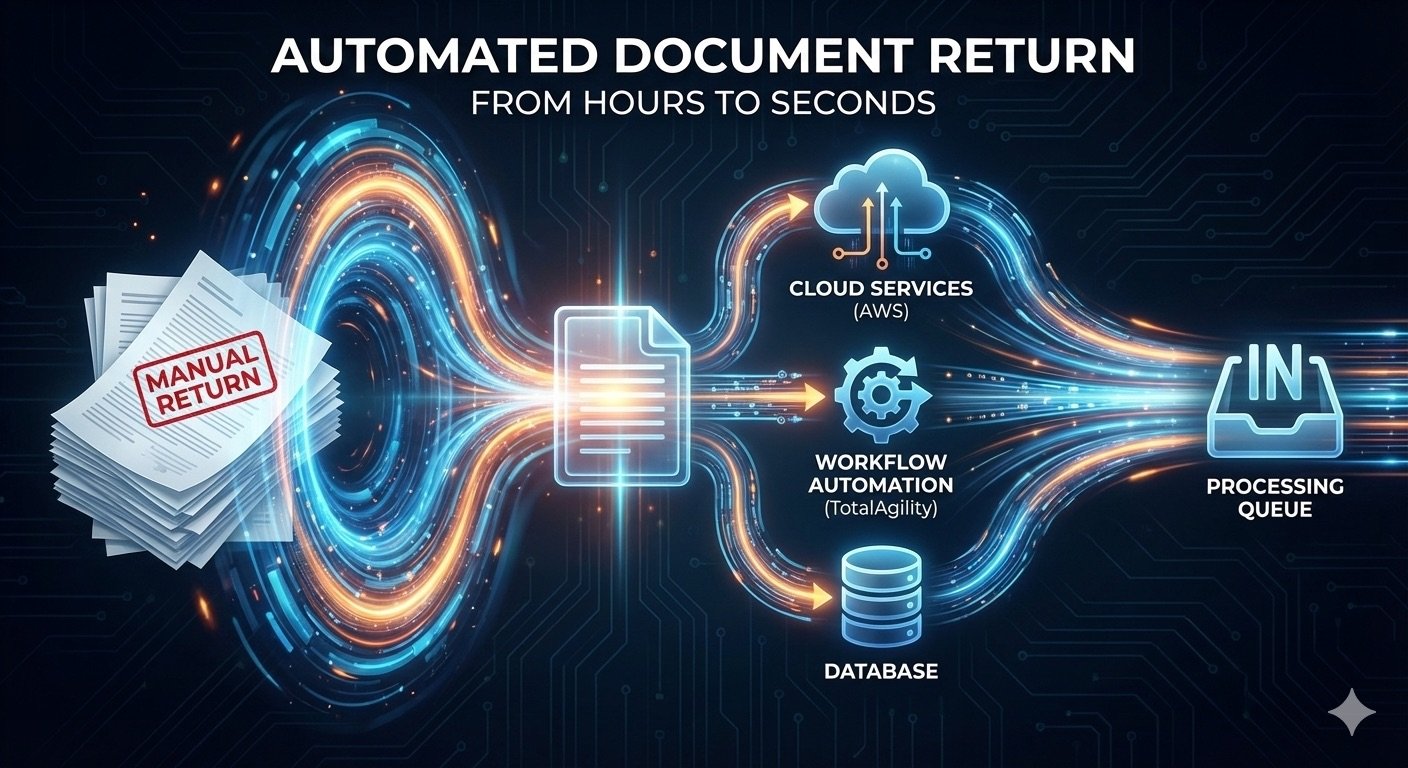
A user in the source application clicks to return a document. That action triggers an API call to AWS API Gateway, which routes to a Lambda function. The Lambda validates the request (checking required fields, verifying the document hasn't already been returned) and then invokes a TotalAgility process.
TotalAgility takes over from there. It generates a coversheet populated with the relevant consumer information, converts it to the appropriate image format, retrieves the original document from network storage, merges everything into a single package, and creates a new mailroom job. The document re-enters the standard processing queue as if it had just arrived.
Throughout this flow, every step logs to a central database. Success, failure, timestamps, job identifiers, all captured automatically.
This kind of hybrid architecture is increasingly common in enterprise environments. Legacy investments in platforms like TotalAgility represent real value: proven reliability, deep integration with existing processes, institutional knowledge embedded in workflow design. Cloud services offer flexibility, scalability, and modern API patterns. The art is in making them work together without requiring a wholesale platform migration.
Measuring What Matters
The impact was immediate and measurable.
What previously took several minutes per document now completes in seconds. The process that required three dedicated staff members during peak periods now runs unattended. Requests that used to queue up over days are handled in real time.
More importantly, the staff who had been processing returns manually didn't disappear. They shifted to higher-value work: exception handling, quality review, process improvement. The automation didn't replace their expertise; it removed the repetitive burden that had been consuming it.
This is the outcome we aim for in every engagement: not automation for its own sake, but automation that extends human capacity.
The Bigger Picture
This project succeeded because it started with a clear understanding of the actual problem — not a technology in search of a use case, but a workflow that was overwhelming real people doing important work.
It also succeeded because we designed for the environment as it existed. The agency didn't need to rip out their workflow platform or migrate their document storage. They needed those systems connected in a way that hadn't been possible before.
That's the work we do at Infocap: finding the friction points where manual effort has accumulated, and building solutions that turn days into hours and hours into seconds. Not by replacing what works, but by extending it.
If your organization has processes that feel too embedded to automate, or systems that don't quite talk to each other, that's often where the biggest opportunities hide.
Ready to uncover automation opportunities in your document workflows? Let’s start a conversation.